Upgrade Now to
PlayTime Premium!

Web Special Pricing

Premium User - $2.08/month
USD Billed Annually

Power User - $2.92/month
USD Billed Annually

Billed Annually - Prices in USD

Your paid subscription helps support hosting, maintenance, customer support, and development of new features. Our premium members make it all possible!

Officially recognized USA Pickleball and Pickleball Canada Ambassadors and Certified Referees receive an ongoing 30% discount on Power User subscriptions. Contact us for coupon code.

E-Gift cards available! (To purchase physical gift cards please contact us.)


Feature Comparison

Calendar View

FREEFREE
PREMIUMPRE
POWERPWR
Access to all public sessions   Black checkmark Blue checkmark Orange checkmark
Unlimited region-hopping   Black checkmark Blue checkmark Orange checkmark
Choose from weekly (Sun-Sat) or 7-day view   Black checkmark Blue checkmark Orange checkmark
Hide cancelled sessions   Black checkmark Blue checkmark Orange checkmark
View a list of sessions you're signed up to attend   Black checkmark Blue checkmark Orange checkmark
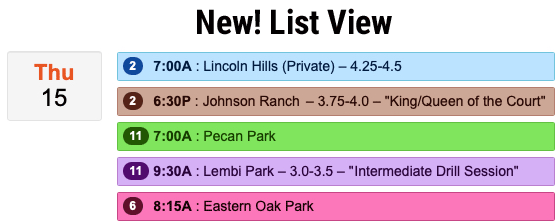
Choose List View instead of Bubble View     Blue checkmark Orange checkmark
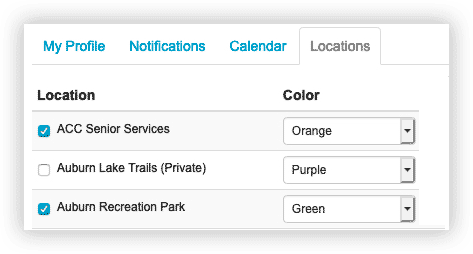
Turn individual locations on/off     Blue checkmark Orange checkmark
Filter by location/session criteria     Blue checkmark Orange checkmark
Assign custom colors to locations     Blue checkmark Orange checkmark
Hide invite-only sessions you aren't invited to     Blue checkmark Orange checkmark
Hide sessions that are not for your level/gender     Blue checkmark Orange checkmark
Hide 2.0-5.0 (all level) sessions     Blue checkmark Orange checkmark
View weather forecasts     Blue checkmark Orange checkmark
Search and filter locations on the map     Blue checkmark Orange checkmark
View details of past sessions       Orange checkmark
Print/download session sign-in sheets       Orange checkmark

Emails & Notifications

Customize your notification preferences   Black checkmark Blue checkmark Orange checkmark
Private chats   Black checkmark Blue checkmark Orange checkmark
Group chats   Black checkmark Blue checkmark Orange checkmark
Get notifications based on zip code   Black checkmark Blue checkmark Orange checkmark
Mute notifications for specific sessions   Black checkmark Blue checkmark Orange checkmark
Get notifications only for specific locations     Blue checkmark Orange checkmark
Registration & play reminders       Orange checkmark
Message any player on any session       Orange checkmark

Signing Up for Sessions

Add guests   Black checkmark Blue checkmark Orange checkmark
Post comments/notes   Black checkmark Blue checkmark Orange checkmark
Join a wait list   Black checkmark Blue checkmark Orange checkmark
Edit your "+1 guest" to include their name/gender     Blue checkmark Orange checkmark
Premium User "Flair" – Emojis next to your name     Blue checkmark Orange checkmark
Save events to third-party calendars like iCal/Google     Blue checkmark Orange checkmark
Power User "Flair" – Double the flair!       Orange checkmark
Subscribe to your events on third-party calendars       Orange checkmark

Session Creation

Create sessions up to 10 days in advance   Black checkmark Blue checkmark Orange checkmark
Create public play sessions   Black checkmark Blue checkmark Orange checkmark
Create invite-only sessions   Black checkmark Blue checkmark Orange checkmark
Set a player maximum and minimum   Black checkmark Blue checkmark Orange checkmark
Indicate desired skill levels   Black checkmark Blue checkmark Orange checkmark
Create Self-Rated or DUPR sessions   Black checkmark Blue checkmark Orange checkmark
Create sessions up to 30 days in advance     Blue checkmark Orange checkmark
Specify the play format – doubles, singles, drills, lesson/clinic     Blue checkmark Orange checkmark
Specify genders – men's, women's, or equal mix     Blue checkmark Orange checkmark
Block guest sign-ups     Blue checkmark Orange checkmark
Block players of the wrong skill level     Blue checkmark Orange checkmark
Show as invite-only to players of wrong skill level     Blue checkmark Orange checkmark
Create sessions up to 90 days in advance       Orange checkmark
Create invisible invite-only sessions       Orange checkmark
Configure a wait list       Orange checkmark
Clone a past session       Orange checkmark
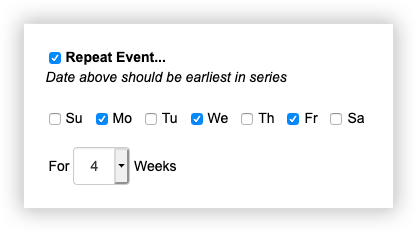
Create a repeating event (up to 8 weeks)       Orange checkmark
Create sessions you don't plan to attend       Orange checkmark
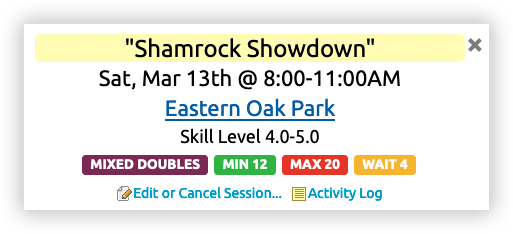
Highlight a special event       Orange checkmark
Give your session a title       Orange checkmark
Set maximum number of guests per person       Orange checkmark
Set registration open/close times       Orange checkmark
Hide your session until registration opens       Orange checkmark
Control when notifications are sent       Orange checkmark
View a log of session activity       Orange checkmark
Block specific players on specific sessions       Orange checkmark
Delete players or notes on your own sessions       Orange checkmark
Check-in players on your mobile device       Orange checkmark

Invite Lists

Search for players by name or email   Black checkmark Blue checkmark Orange checkmark
Invite non-registered users   Black checkmark Blue checkmark Orange checkmark
Share a link or QR code to join your list   Black checkmark Blue checkmark Orange checkmark
Save and re-use player lists   Black checkmark Blue checkmark Orange checkmark
Option to allow players to see the invite list   Black checkmark Blue checkmark Orange checkmark
Start a group chat from a player list   Black checkmark Blue checkmark Orange checkmark
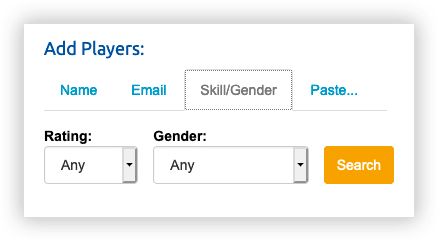
Search for players by gender and skill level     Blue checkmark Orange checkmark
Generate a PDF of a player list     Blue checkmark Orange checkmark
Create a player list by pasting in emails       Orange checkmark
Convert a group chat to a player list       Orange checkmark
Create a universal block list       Orange checkmark
Share and collaborate on lists with other users       Orange checkmark
Manage a single list for repeated events       Orange checkmark

Round Robins

Generate social mixers, fixed doubles, singles   Black checkmark Blue checkmark Orange checkmark
Live scoring with players entering own scores   Black checkmark Blue checkmark Orange checkmark
Mobile, desktop, and print versions   Black checkmark Blue checkmark Orange checkmark
Include up to 12 players   Black checkmark Blue checkmark Orange checkmark
Include up to 24 players     Blue checkmark Orange checkmark
Include up to 48 players       Orange checkmark
Generate MXD, split, or pool mixers       Orange checkmark
Export results to spreadsheet       Orange checkmark
Player check-in from RR screen       Orange checkmark

Mobile App

Face/ fingerprint login   Black checkmark Blue checkmark Orange checkmark
Instant push notifications   Black checkmark Blue checkmark Orange checkmark
In-app chat   Black checkmark Blue checkmark Orange checkmark
No pop-up ads in mobile app     Blue checkmark Orange checkmark

Other

Priority support     Blue checkmark Orange checkmark
Free Power User decals       Orange checkmark